Share
Payroll software these days is pretty incredible. It can calculate gross pay, deduct taxes, and generate a paycheck. Most systems can handle that part. So, when HR leaders say payroll feels complicated, they’re rarely talking about the software itself. But where things tend to get layered are in the processes behind the software, connecting various steps and stitching various solutions together. The complicated layers, as most HR and payroll managers will tell you, typically happen during everything that has to happen before payroll runs.
In multi-location businesses, especially those built around deskless teams who are always on the go, payroll challenges usually start popping up days before anyone clicks submit. Missed punches need to be fixed. Timecards are waiting on manager approval. PTO requests come in late. A schedule exception never got reviewed. A pay rate change was updated in one system, but not reflected somewhere else. Managers are busy running shifts, serving customers, or overseeing operations, not sitting behind a desk reviewing approvals.
By the time payroll is ready to run, HR teams aren’t just processing pay. They’re reconciling activity from across the organization. That’s where payroll starts to feel heavy.
What Makes Payroll Challenging for Multi-Location HR Teams
In a single-location business, it’s hard enough to try and trace back payroll issues. But in a multi-location environment, things are more layered. HR and payroll processes stretch across departments, job roles, and systems that were never designed to operate in perfect sync.
A restaurant group might rely on a POS system, scheduling software, and time tracking tools. An automotive dealership group could be working across a dealership management system, time capture tools, and HR workflows. A fitness brand may operate inside club management software while also tracking payroll and benefits separately. Each system supports daily operations, but when they don’t align cleanly, payroll becomes the point where all of those moving parts converge.
That convergence creates strain. Data gets entered more than once. Updates don’t always reflect everywhere they should. HR teams end up double-checking information they thought was already resolved. Instead of reviewing payroll with confidence, they’re chasing down details across screens and reports.
Over time, those workflow gaps become routine. Payroll week turns into cleanup week.
Where Workflow Gaps Create Downstream Problems
Fragmented workflows show up in subtle but costly ways. Duplicate entry increases the likelihood of inconsistencies. If a pay rate is adjusted in one system but not synced properly elsewhere, someone has to catch it. If timecards are approved in one workflow but exceptions aren’t visible in another, payroll teams have to piece together the full picture manually.
Approval bottlenecks are another common pain point. In deskless environments, managers are responsible for reviewing timecards and resolving missed punches, but they’re also running operations. If approvals sit untouched for too long, payroll processing slows down. HR teams start sending reminders. Managers feel pressured. The cycle repeats.
Manual reconciliation becomes part of the job. Instead of focusing on higher-level HR strategy, teams spend time verifying that updates made in one system match what appears in another. Even when the final payroll run is accurate, the path to get there feels inefficient. These are the real payroll challenges that don’t stem from calculation errors. They stem from disconnected workflows.
Read more: The True Cost of Payroll Errors
The Hidden Costs of Pre-Payroll Mistakes
The impact of workflow gaps isn’t always obvious on a balance sheet, but it’s there.
Administrative hours add up quickly. When HR teams spend time resolving missed punches, tracking down approvals, and correcting inconsistencies, that’s time pulled away from recruiting, compliance oversight, and employee engagement initiatives. In multi-location organizations, those hours multiply across regions and departments.
Delays also carry operational consequences. An unresolved timecard or outstanding exception can slow down an entire payroll run. That pressure doesn’t just affect HR. It affects managers and employees who depend on accurate, on-time pay.
Payroll error correction carries a measurable cost as well. Industry research consistently shows that payroll mistakes are common and often expensive to fix. Just in 2023, the average payroll cycle would see 15 errors that needed fixing. You likely know the drill, too…. each correction requires investigation, communication, and, in some cases, additional processing fees or compliance adjustments. In regulated industries or multi-state operations, the compliance exposure increases.
Manager productivity suffers, too. When leaders are pulled into manual payroll troubleshooting, they’re not focused on staffing, service levels, or performance metrics. Payroll inefficiencies ripple outward.
At a certain point, payroll challenges stop being an HR inconvenience and become an operational efficiency issue.
Treating Payroll as a Continuous Process, Not an Event
One of the most common patterns in modern payroll environments is treating payroll as a biweekly event. Teams work through the pay period, then scramble to ensure everything is ready at the end. That mindset makes payroll feel reactive.
A stronger approach views payroll as an ongoing operational process. Payroll-impacting items are managed throughout the pay period instead of clustered at the end. Missed punches are resolved closer to when they occur. PTO approvals are addressed promptly. Pay changes are reflected consistently across systems.
That shift requires tools that surface payroll-impacting tasks in a way that supports real-time action, not a bunch of policy reminders.
For deskless teams, where operations move quickly and schedules change often, payroll workflows need to move at the same pace.
How OneScreen Payroll™ Helps Close Workflow Gaps
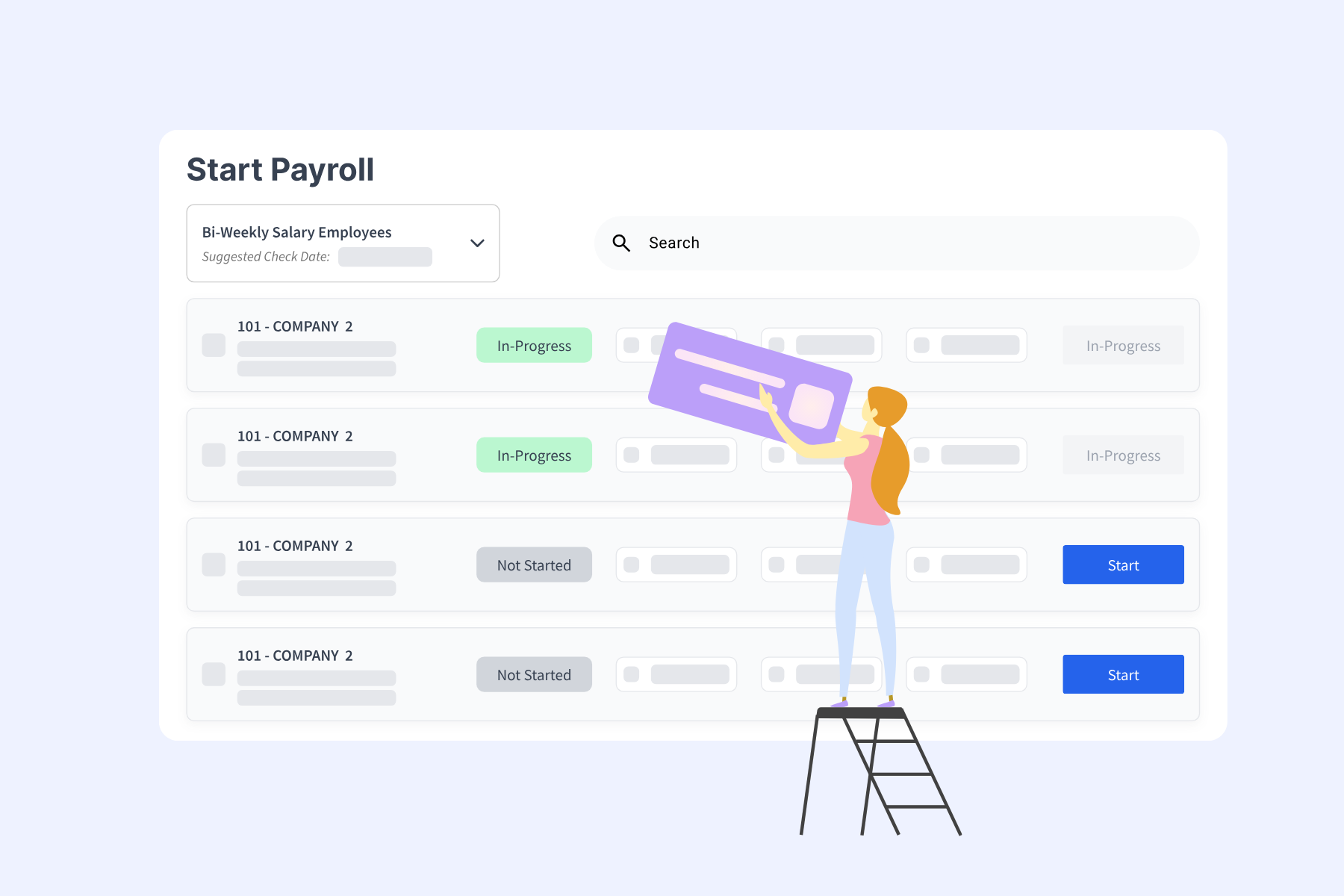
OneScreen Payroll™ was built to simplify the pre-payroll process in environments where fragmentation is common. Rather than forcing HR teams to jump between screens and separate reports, OneScreen Payroll™ brings payroll-impacting tasks into a single workflow view so teams can see what needs attention and act on it.
Timecard review becomes more efficient because outstanding items are visible in context. Missed punches can be resolved directly within the workflow. Approvals are easier to track, reducing the need for follow-up emails and manual reminders. Instead of piecing together collected information from multiple systems, HR teams can address issues as they surface and in real time.
One Netchex customer described the impact this way:
I love the integrated platform. With our old payroll company, you would have to make the same change in several different areas of the software. With Netchex, it only takes once. This system is so user-friendly that it makes training a breeze.
That simplicity is especially important in deskless environments where manager turnover and shifting responsibilities are common. Intuitive workflows reduce training time and lower the risk of errors caused by system confusion.
Integration as an Operational Advantage
Payroll accuracy starts upstream in the systems that capture daily activity. That often includes scheduling tools, time and attendance platforms, onboarding workflows, and operational systems that drive revenue.
When those systems connect cleanly, data flows more consistently into payroll. Duplicate entries decrease. Inconsistencies are easier to spot. Managers have clearer visibility into their responsibilities. HR teams spend less time reconciling information and more time reviewing it strategically.
OneScreen Payroll™ benefits from being part of a connected HR and payroll ecosystem. Changes made in one area don’t require repetitive updates elsewhere. That alignment strengthens accountability and reduces the likelihood that something falls through the cracks.
Melissa Foster Poirier, Office Administrator at Greenleaf Architects, APAC, described that shift clearly:
“My experience with Netchex over the past 6 months has been seamless and efficient. Their platform has streamlined our payroll and HR processes, allowing me to focus more on strategic tasks rather than administrative ones.”
When payroll workflows are aligned with day-to-day operations, the administrative burden lightens. HR leaders can focus on workforce planning, compliance oversight, and performance initiatives instead of troubleshooting payroll discrepancies.
Payroll Aligned with How Deskless Teams Actually Work
Payroll will always require precision. Multi-location businesses will always have complexity. But payroll challenges don’t have to feel inevitable.
In many cases, what makes payroll difficult isn’t the calculation. It’s the buildup of small workflow gaps across systems and locations. When those gaps are addressed with a structured, integrated approach, payroll becomes more manageable.
OneScreen Payroll™ supports that shift by helping HR teams close workflow gaps before they turn into payroll problems. It brings payroll-impacting items into a clearer, more actionable workflow so teams can resolve issues early and move through the pay cycle with fewer surprises.
For multi-location businesses (and those managing deskless teams), that level of alignment matters. It supports accuracy and protects time. It’s how you can turn payroll function into a dependable part of operations, not a recurring stress point.
If you’re navigating payroll challenges and want to see how OneScreen Payroll™ can help streamline your HR and payroll workflows, schedule a demo today.
Disclaimer: Any product roadmap or future plans provided herein are for informational purposes only. They do not represent a commitment to deliver any material, code, feature, or functionality. Plans may change without notification. The development, release and timing of any features or functionality described remain at the sole discretion of Netchex, its affiliates, and partners.
Netchex does not give legal, tax, or accounting advice. You are responsible for ensuring your use of Netchex product meets your individual business and compliance requirements.

Disclaimer: Any product roadmap or future plans provided herein are for informational purposes only. They do not represent a commitment to deliver any material, code, feature, or functionality. Plans may change without notification. The development, release and timing of any features or functionality described remain at the sole discretion of Netchex, its affiliates, and partners.
Netchex does not give legal, tax, or accounting advice. You are responsible for ensuring your use of Netchex product meets your individual business and compliance requirements.
Related events

Netchex vs. Time & Pay: Which HR and Payroll Platform Is Right for Your Business in 2026?
5 Best Time & Pay Alternatives for East Tennessee and Southeast Businesses in 2026

Netchex vs. TMA Payroll: Which HR and Payroll Platform Is Right for Your Business in 2026?