Share
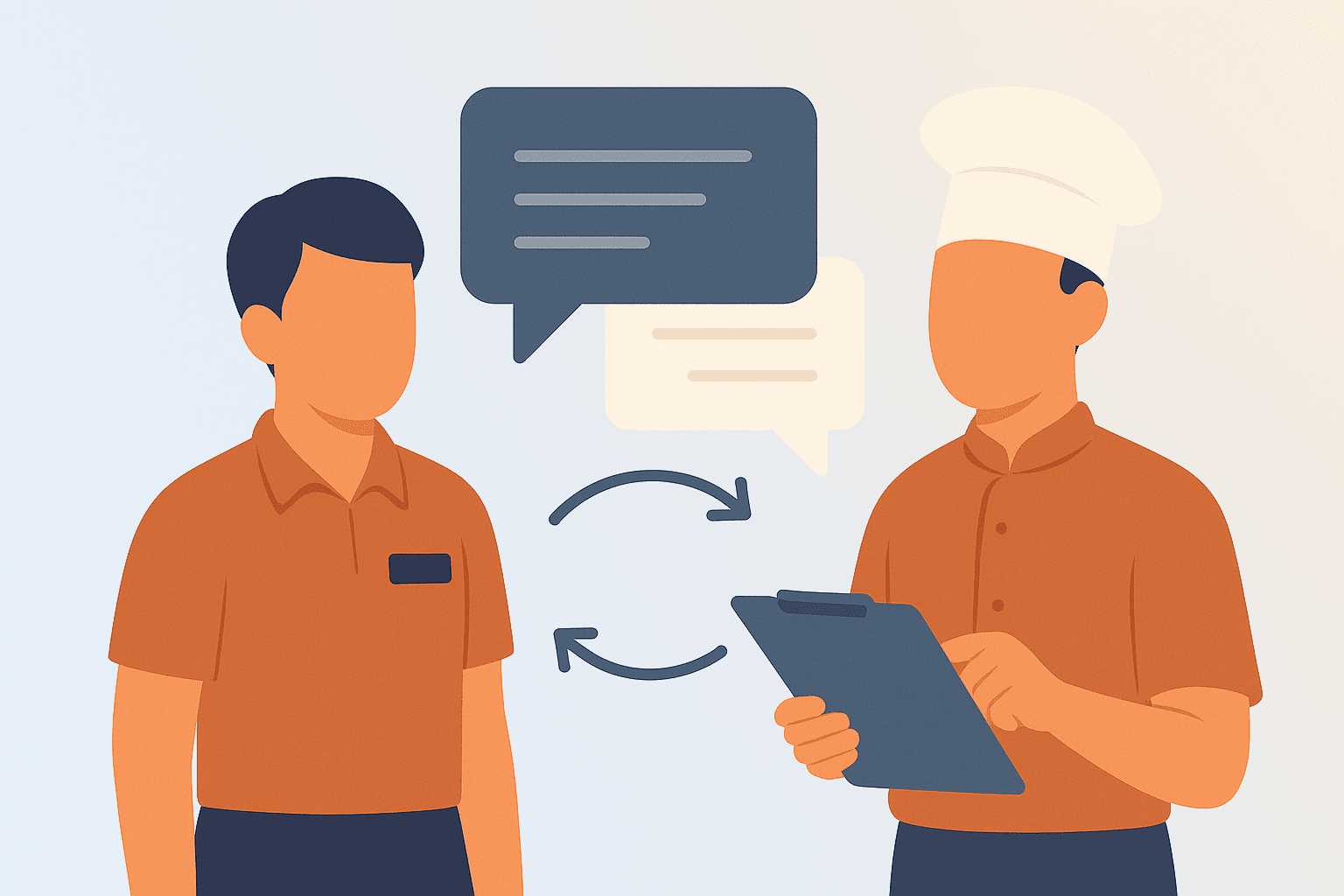
Your opening server arrives at 11 AM ready to set up for lunch. She has no idea that the ice machine broke overnight, two menu items are 86’d, there’s a 20-top coming at noon, and the dishwasher called out. Your closing manager forgot to leave notes. Now she’s scrambling to figure out what she doesn’t know she doesn’t know.
Meanwhile, your lunch cook shows up to discover prep wasn’t finished last night because the closer got slammed. No one told him. He’s now two hours behind before a single ticket prints.
This scenario plays out in restaurants everywhere, multiple times daily. Information that should flow seamlessly from shift to shift gets lost. Equipment malfunctions go unreported. VIP reservations get missed. Staff changes aren’t communicated. Problems that should take five minutes to handle turn into crises because the right information didn’t reach the right people at the right time.
The cost is enormous. Service suffers when teams operate with incomplete information. Employee frustration builds when they’re set up to fail. Guests have subpar experiences. Mistakes multiply. What should run smoothly becomes chaos.
Here’s the thing: most communication breakdowns aren’t because people don’t care. They’re because restaurants lack simple, consistent systems for transferring information between shifts. Closing managers are exhausted and forget to document issues. Opening managers arrive without time to review what happened overnight. Day shift doesn’t know what evening shift needs prepped. Everyone assumes someone else communicated the important thing.
This guide solves the shift-to-shift communication problem. You’ll learn exactly what information needs to flow between shifts, how to structure handoffs so nothing gets missed, which tools make communication seamless, and how to build habits that ensure consistent information transfer. By the end, you’ll have practical systems you can implement tomorrow that transform information chaos into reliable flow.
Why Shift-to-Shift Communication Fails
Before fixing communication, let’s understand why it breaks down so consistently.
Exhaustion and Rush:
Closing managers at the end of 10-hour shifts are mentally and physically drained. They just want to finish cleaning, do their checkout, and go home. Taking time to write detailed notes feels like one more burden. They skip it or jot quick, incomplete notes.
Opening managers arrive to immediate demands. Unlock the building. Turn on equipment. Check that prep is ready. Review reservations. Brief arriving staff. They don’t have time for lengthy reviews of closing manager’s notes, so they skim or skip entirely.
No Standard Process:
Many restaurants have no formal handoff process. Communication happens if managers remember and have time. There’s no checklist, no template, no accountability. Result? It happens inconsistently or not at all.
Information Trapped in Heads:
Managers and experienced employees carry enormous operational knowledge in their heads. They know which equipment is temperamental, which supplier is running late, which regular is coming in tonight. This knowledge doesn’t get documented or shared, so when they’re off, no one else has it.
Multiple Channels, No System:
Some information gets texted. Some gets written in a logbook. Some gets mentioned verbally. Some gets posted on whiteboards. Critical details get scattered across channels where they’re easily missed or lost.
Assumption That Others Know:
People assume someone else already communicated important information. “I’m sure morning manager saw the note.” “Day shift probably noticed the walk-in issue.” These assumptions create gaps where everyone thinks someone else handled communication.
Pre-Shift Meetings: Your Daily Communication Foundation
The single most powerful shift communication tool is also the simplest: structured pre-shift meetings before every service period.
Why Pre-Shift Meetings Matter:
They create a guaranteed moment when entire shift receives consistent information. They allow managers to communicate everything the team needs to know. They give employees opportunity to ask questions and surface concerns. They set tone and expectations for the shift ahead.
Most importantly, they prevent the scavenger hunt where employees discover critical information piecemeal throughout service by stumbling into problems.
Standard Pre-Shift Meeting Agenda:
Keep meetings to 10 to 15 minutes maximum. Cover these essentials in consistent order.
Start with reservations and special guests. Identify large parties with guest counts, timing, and any special requests. Highlight VIPs or regulars. Note if anyone has dietary restrictions requiring special attention.
Review menu changes. List daily specials with descriptions employees can sell confidently. Announce 86’d items and when they might return. Mention any ingredient substitutions affecting standard dishes.
Cover operational updates. Report equipment issues and workarounds. Announce staff changes for the shift. Share any policy updates or reminders. Address anything different from normal operations.
Set shift goals or focus areas. Maybe today’s focus is dessert sales. Maybe it’s table turn times. Maybe it’s perfect execution because you know critics are in town. Give the team something to rally around.
Conduct quick team check-in. This doesn’t need to be deep, but asking “anyone have anything we need to know?” catches issues before service starts.
Making Pre-Shift Meetings Effective:
Start on time regardless of who’s there. Employees who arrive late miss information, creating incentive for punctuality.
Keep meetings engaging. Vary who leads different sections. Use humor when appropriate. Never let meetings become boring recitations of information people could read on their own.
Document meeting content. Post key points on communication boards. Send brief recap via text or messaging app. This helps latecomers catch up and serves as reference during service.
Make them non-negotiable. Pre-shift meetings happen every shift, not just when managers remember or feel like it. Consistency creates the habit that makes them effective.
Understanding restaurant employee guidelines helps standardize pre-shift meeting expectations across your operation.
Manager-to-Manager Handoff Protocols
While pre-shift meetings handle shift-wide communication, manager handoffs ensure critical operational information transfers between leadership.
The Closing Manager’s Responsibilities:
Create a standard closing report template covering essential categories.
Operations summary notes covers, sales, how service went, and any significant issues or wins.
Equipment and facilities section reports anything broken, malfunctioning, or needing repair. Notes what was done to address it. Lists items needing attention tomorrow.
Inventory and supplies notes items running low, what was ordered, and expected deliveries. Flags any product quality issues.
Staff and scheduling covers who called out, performance issues requiring follow-up, and any schedule changes made.
Guest incidents documents complaints, comps, or notable guest situations. Provides enough detail that opening manager can follow up if needed.
Action items for next shift lists specific things opening manager must address, check, or complete.
Complete this report before leaving. Don’t rely on memory the next day. Information is freshest immediately after shift.
The Opening Manager’s Responsibilities:
Arrive early enough to review closing report thoroughly before staff arrival. Read it completely, not just skimming highlights.
Address urgent action items immediately. Broken equipment affecting service gets prioritized. Critical prep shortages get solved. Guest follow-ups get handled.
Incorporate relevant information into pre-shift meeting. Your team needs to know what they need to know from the closing report.
Document your own shift in same format, maintaining continuity for evening manager.
Creating Accountability:
Make handoff reports part of manager evaluation. They’re not optional paperwork. They’re essential operational documentation.
Review reports regularly as general manager or owner. This shows you value them and catches managers skipping or rushing through them.
When information breakdowns occur, trace them back. Often you’ll find a gap in the handoff process. Address it specifically to prevent recurrence.
Real-Time Communication During Service
Between formal handoffs, you need systems for real-time communication while service is happening.
The Expo Position as Communication Hub:
In restaurants with expo positions, they become natural communication hubs. They see every ticket, interact with both kitchen and servers, and have visibility into entire operation flow.
Empower expo to communicate critical updates. They can announce 86’d items to servers as situations develop. They can alert kitchen to large party arrival. They can flag when specific tables need special attention.
Train servers and kitchen to communicate through expo rather than creating chaos with random announcements and questions.
Kitchen-to-Floor Communication:
Establish protocols for kitchen communicating with front of house.
When items run out, kitchen immediately tells expo or manager, who alerts all servers. Don’t wait for servers to order the item before discovering it’s gone.
When ticket times are running long, communicate early so servers can manage guest expectations rather than being surprised by delays.
When quality issues arise with specific menu items, notify front of house so they can stop selling them or inform guests of modifications.
Floor-to-Kitchen Communication:
Servers need clear protocols for communicating with kitchen.
Special requests and modifications go through proper channels. Usually this means POS system notes, not verbal shouts into kitchen.
When guests are in extreme rush, communicate that when ordering. Kitchen can prioritize if they know.
Guest dietary restrictions or allergies get flagged clearly on tickets with verbal confirmation to appropriate cook.
Manager Oversight:
Managers monitor communication flow during service. They catch breakdowns before they cascade.
They watch for information not flowing. Did everyone hear about the 86’d salmon? Do all servers know about the VIP at table 15?
They facilitate communication between individuals or departments when needed. Sometimes you need to physically connect your line cook with your server to solve a specific issue.
Physical Tools for Real-Time Updates:
Despite digital technology, physical tools remain valuable for real-time communication visible to everyone.
Kitchen display screens show all active orders with timing. Everyone sees what’s in the queue.
Whiteboards or displays listing current 86’d items stay updated throughout service. No one has to ask what’s out.
Ticket rails or digital systems show table status at a glance. Everyone knows what’s fired, what’s plating, what’s about to come up.
Critical Information Categories That Need Special Attention
Some information is so operationally critical that it deserves special protocols ensuring it never gets missed.
86’d Menu Items:
Document when items run out, approximate timing for getting them back, and whether the issue is temporary or for full service period.
Communicate immediately to all servers. Use multiple channels: verbal announcement, update whiteboard, send message in team chat.
Update pre-shift meeting content if the outage continues into next shift.
VIP Guests and Special Occasions:
Create a system for flagging VIP reservations. Maybe it’s a note in your reservation system. Maybe it’s a separate VIP log. Make sure this information reaches the manager on duty and relevant servers.
Include details about why they’re VIPs. Regular who comes weekly? First-time guest but a major influencer? Celebrating anniversary? Context helps team provide appropriate service.
Equipment Malfunctions:
Any equipment issue gets documented immediately with specifics. What’s broken? When did it break? What’s the workaround? Has repair been scheduled?
Critical equipment affecting service gets communicated to everyone potentially impacted. Broken ice machine affects both bar and kitchen. Malfunctioning oven affects entire BOH. Down POS terminal affects all servers using that station.
Include estimated repair timing so employees know if the workaround is for one shift or several days.
Safety Hazards:
Safety issues get immediate, wide communication. Wet floors. Broken equipment creating danger. Food safety concerns. Anything posing risk to employees or guests.
Use multiple communication channels simultaneously. Verbal announcements. Physical signage if relevant. Message in team chat. Entry in manager log.
Follow up to confirm hazard was addressed and communicate resolution.
Staff Changes and Call-Outs:
When someone calls out, document it in the manager handoff. Note if replacement was found, if shifts need reshuffling, or if the gap remains for next shift to address.
Communicate staffing changes to affected team members. If sections are being adjusted, everyone involved needs to know quickly.
Incidents Requiring Follow-Up:
Guest complaints, employee conflicts, policy violations, or any situation requiring future action gets thoroughly documented with enough detail that someone who wasn’t there understands what happened and what needs to be done.
Physical and Digital Communication Tools
Effective communication uses appropriate tools for different information types and audiences.
Manager Communication Log:
A physical logbook or digital manager notes document provides running record of operations. Each manager entries date, shift, and relevant information.
This creates permanent record of equipment issues, guest incidents, employee situations, and operational notes. When someone asks “when did the freezer start acting up?” you can check the log.
Physical books work well because they’re always available and don’t require logging into systems. Digital logs work well for multi-location operations needing centralized visibility.
Communication Boards:
Physical whiteboards in back-of-house areas display information servers and kitchen need constantly.
One board shows daily specials and 86’d items, updated in real-time as inventory changes.
Another displays today’s reservations, highlighting large parties and VIPs.
A third might show the week’s schedule so everyone knows who’s working when.
Location matters. Place boards where staff naturally congregate or pass frequently. A board in an out-of-the-way corner won’t get seen.
Digital Communication Platforms:
Team messaging apps create real-time communication channels for quick updates and questions.
Create clear channel structure. General announcements for everyone. Position-specific channels for servers, kitchen, management. Direct messages for individual communication.
Set expectations for platform use. What requires response? How quickly? What’s appropriate versus what needs in-person conversation?
Establish off-hours boundaries. Managers shouldn’t expect responses from off-duty employees unless absolutely necessary.
Employee Portals:
Many modern restaurant management platforms include employee portals where staff access schedules, review announcements, view training materials, and see other relevant information.
These work well for information that doesn’t require immediate attention but needs to be accessible when employees need it.
The Right Tool for Each Purpose:
Choose communication channels based on urgency and audience.
Immediate, everyone needs to know right now? Pre-shift announcement plus whiteboard update plus message in team chat.
Important but not urgent, everyone needs to know? Post on communication board, mention in pre-shift meeting, include in manager handoff notes.
Manager-to-manager operational details? Manager communication log plus direct message if time-sensitive.
Long-term information employees reference periodically? Employee portal or handbook.
Restaurant employee management systems integrate communication tools into cohesive platforms rather than managing multiple disconnected channels.
Multi-Location Communication Considerations
Restaurant groups face additional complexity ensuring information flows between locations and from corporate to operations.
Standardizing Communication Across Locations:
Create consistent handoff templates all locations use. This ensures critical information categories don’t get missed anywhere in your system.
Implement similar pre-shift meeting structures. While content varies by location, the format remains consistent.
Use common digital platforms across locations. When everyone’s on the same messaging app or management system, sharing information becomes easier.
Location-to-Corporate Communication:
Establish clear protocols for what situations require corporate notification. Equipment failures exceeding certain cost? Guest incidents involving potential liability? Staffing emergencies? Define thresholds so managers know when to escalate.
Create regular reporting structures. Weekly or daily reports from each location to corporate covering sales, issues, highlights, and anything requiring attention or support.
Corporate-to-Location Communication:
Develop cascade communication for company-wide updates. Corporate communicates to GMs, who communicate to management teams, who communicate to hourly staff.
Use multiple formats for important information. Email backup by messaging platform plus mention on video calls ensures people see it.
Allow adequate time for information to flow down before expecting implementation. Announcing policy change Monday requiring compliance by Tuesday doesn’t give locations time to train teams.
Location-to-Location Communication:
Create channels for locations to share with each other. Maybe it’s a shared messaging channel. Maybe it’s regular multi-location manager calls.
Encourage peer learning. When one location solves a problem or implements something effectively, share it so others can benefit.
Facilitate communication about transferring employees, shared resources, or coordinated promotions spanning multiple locations.
Making Communication Stick
Creating communication systems is straightforward. Getting them consistently used is harder.
Start With Manager Buy-In:
Explain why communication systems matter. Show how they prevent problems managers currently experience. Demonstrate time savings from not having to answer the same questions repeatedly.
Involve managers in designing systems. They’ll identify practical issues you miss and feel ownership over solutions they helped create.
Build Accountability:
Make communication non-negotiable part of manager responsibilities. Include handoff reports and pre-shift meetings in performance evaluations.
Review communication execution regularly. Are handoff reports complete? Do pre-shift meetings happen consistently? Address gaps immediately.
Simplify to Essential:
Don’t create communication processes so complex nobody follows them. Keep handoff templates to one or two pages. Limit pre-shift meetings to truly essential information.
If your system requires 30 minutes of documentation time, managers will skip it. If it requires five to ten minutes, they’ll do it.
Create Habits Through Consistency:
Do communication activities at same times and same ways every shift. This builds habits that become automatic.
Pre-shift meetings happen 15 minutes before service starts. Every shift. Manager handoffs get written before leaving. Every shift. These consistent patterns create routines that stick.
Use Technology to Reduce Friction:
Choose tools that make communication easier, not harder. Mobile apps letting managers document handoffs from their phones work better than requiring them to sit at office computers.
Systems that auto-populate information reduce manual entry. If your schedule automatically flows into communication platforms, managers don’t need to transcribe it.
Celebrate Good Communication:
Recognize when communication prevents problems. “Thanks to Susan’s detailed closing notes, we caught that equipment issue before lunch rush.” These acknowledgments reinforce behavior.
Share examples of excellent handoff reports or pre-shift meetings. Showing what good looks like helps everyone improve.
Address Communication Breakdowns:
When information gaps cause problems, trace them back to communication failure points. Was the handoff incomplete? Did pre-shift meeting miss critical information? Did someone skip using the system?
Address root causes, not just symptoms. If managers consistently skip handoffs, find out why. Too time-consuming? Unclear what to include? Lack of accountability?
The Compound Benefits of Seamless Communication
When shift-to-shift communication works smoothly, benefits extend far beyond preventing occasional problems.
Operational Consistency:
Every shift receives information they need to deliver excellent service. Guest experience becomes consistent regardless of which shift they visit.
Equipment issues get addressed promptly instead of lingering. Inventory shortages get caught early. Problems get solved before becoming crises.
Reduced Employee Frustration:
Employees feel set up to succeed when they have information they need. They’re not constantly discovering things they should have known. They can do their jobs confidently.
This impacts restaurant employee wellness significantly by reducing the stress that comes from information chaos.
Manager Efficiency:
Managers spend less time answering questions about things that should have been communicated. They’re not constantly playing catch-up figuring out what happened on previous shifts.
They can focus on leading rather than information detective work.
Knowledge Retention:
Good documentation means knowledge doesn’t disappear when specific employees leave. New managers can review historical manager logs to understand ongoing issues. The collective organizational knowledge stays accessible.
Better Decision-Making:
When information flows well, managers make better decisions because they have complete context. They’re not making choices based on incomplete or inaccurate information.
Most importantly, you build operations where information flows reliably. Nobody’s guessing. Nobody’s surprised by things they should have known. Everyone has what they need to execute excellently. That’s when restaurants move from chaotic to professional.
Ready to implement communication systems that ensure seamless information flow across every shift? Get started with Netchex today to learn how our restaurant management solutions provide the integrated communication tools, manager handoff systems, and digital platforms that transform information chaos into reliable flow across your entire operation.
Related articles

The 5 Best Payroll Software Platforms for Restaurants
Why Restaurants Using Toast POS Bring Netchex Into the Mix

Restaurant365 + Netchex: The Seamless Integration That Keeps Your Restaurant Running Smoothly