Share
Key Takeaways
- Modern payroll software must go beyond basic paycheck calculations to include automated tax filing, compliance management, robust reporting, and seamless integrations with HR and accounting systems.
- Netchex offers full-service, cloud-based payroll with automated tax filing, time and attendance integration, and unified HR capabilities—all in a single platform.
- The most valuable payroll features for 2026 include time-tracking integration, employee self service portals, direct deposit with on-demand pay options, and actionable payroll analytics.
- The right payroll software reduces errors by up to 70%, protects against costly compliance penalties, and improves employee satisfaction and retention.
- This article outlines must-have features, advanced capabilities, and practical guidance on choosing a payroll provider, with examples of how Netchex addresses each area.
Introduction: Payroll Software Features and Why They Matter in 2026
Payroll software features are at the heart of efficient, compliant, and scalable payroll operations for modern businesses. As payroll has evolved from manual spreadsheets and paper checks to cloud-based, automated platforms, the right features have become essential for organizations of all sizes. This guide is for HR managers, finance leaders, and small business owners evaluating payroll software features for 2026.
This article will cover both essential and advanced payroll software features, providing practical guidance on how to choose a provider that fits your business needs. Whether you’re seeking to streamline payroll processing, ensure compliance, or empower employees with self-service tools, you’ll find actionable insights and real-world examples throughout.
In the early 2000s, many businesses ran payroll using spreadsheets, paper checks, and a lot of manual calculations. Error rates hovered between 2-5% due to manual data entry. Processing a single pay period could take days.
Fast forward to 2026, and the landscape looks completely different.
Cloud-based payroll software now handles real-time data processing, AI-driven automation, and complex multi-state tax calculations. But with that evolution comes new challenges:
- Remote and hybrid work: 58% of U.S. workers now work in hybrid arrangements, triggering payroll complexity when employees live in different states than their employer.
- Multi-state tax rules: A remote worker in New York creates withholding obligations for an employer based in Texas—even if the company has no physical presence there.
- Pay transparency laws: New federal requirements demand detailed earnings breakdowns on pay stubs, with non-compliance fines reaching $300 per violation per employee in some jurisdictions.
The goal of this article is simple: give you a concrete feature checklist that finance leaders, HR managers, and small business owners can use when evaluating payroll providers. Throughout, we’ll reference Netchex payroll software as a practical example of how modern platforms address these challenges with integrated, automated solutions.
What Is Payroll Software (Today)?
Payroll software in 2026 means cloud-native tools that automate the entire gross-to-net pay calculation for W-2 employees and 1099 independent contractors.
These systems ingest real-time inputs:
- Hours worked from integrated time clocks
- Commissions and bonuses
- Pre-tax benefits deductions (like 401(k) contributions up to the $23,500 IRS limit for 2026)
- Post-tax garnishments
- Employer-matched taxes such as FICA at 7.65% on the first $168,600 of wages
Unlike legacy systems that required CSV uploads and manual reconciliation, modern platforms use single-database architectures. When an employee gets promoted mid-cycle, that change instantly propagates to payroll without re-entry.
Netchex delivers its online payroll system as SaaS, accessible via browser and mobile. Tax tables update automatically. Compliance rules adjust without manual intervention. The platform combines payroll with time and attendance in a unified database, eliminating the data silos that cause so many payroll headaches.
On the security front, expect SOC reports, role-based access controls, and encryption standards. Your payroll data contains some of the most sensitive employee information you manage—modern systems treat it accordingly, which is why effective payroll management practices emphasize both accuracy and security.
Core Objectives of the Payroll Process
The payroll process exists for three fundamental reasons: pay employees accurately, deliver payments on time, and maintain airtight compliance with federal, state, and local regulations.
Simple in concept. Complex in execution.
Here are the concrete objectives every payroll operation should achieve:
| Objective | What It Means |
|---|---|
| Gross-to-net precision | Handle variable elements like shift differentials, overtime, and commissions correctly every pay period |
| Timely tax deposits | File quarterly Form 941s by the month’s end post-quarter, remit payments on schedule |
| Audit-ready records | Maintain seven years of documentation per IRS requirements |
| Positive employee experience | Provide self-service access, transparent pay stubs, and quick resolution of questions |
When these objectives aren’t met, the signs are clear.
Repeated errors. Off-cycle corrections. Employee disputes about missing hours or incorrect deductions. According to research cited by HR Morning, payroll errors affect 24% of employees enough to prompt job searches.
Manual off-cycle corrections for a missed bonus can require 2-3 days of rework per incident. That’s time your HR team could spend on strategic work.
Netchex addresses these objectives through automated calculations, comprehensive audit trails that log every change with timestamps and user IDs, and scheduled tax remittances that reduce the risk of costly mistakes.
Must-Have Payroll Software Features
Before diving into the specific features, let’s define the key payroll software features you should expect in a modern solution:
- Automated tax calculations: Automated tax calculations ensure that all federal, state, and local taxes are accurately computed and deducted from employees’ paychecks. (Fact 1)
- Automated payroll processing: Automated payroll processing calculates employee wages, deducts taxes and benefits, and generates paychecks without manual data entry. (Fact 2)
- Employee self-service: Providing employees with self-service access to payroll information empowers them to view their pay stubs, tax documents, and benefits information without requiring HR intervention. (Fact 3)
- Direct deposit and flexible payment methods: Payroll software supports flexible payment methods, including direct deposit, paper checks, and pay cards. (Fact 4)
- Automated tax filing: Payroll software can automate tax filing and the generation of W-2s. (Fact 5)
- Comprehensive HR, tax, and reporting functionalities: Modern payroll platforms offer comprehensive HR, tax, and reporting functionalities beyond basic check printing. (Fact 6)
- On-demand pay: Payroll software can unlock modern payroll capabilities like on-demand payment, allowing employees to request a portion of their paycheck ahead of payday. (Fact 7)
- Expense management: Expense management capabilities in payroll software automate the expense report and payment processes, saving time and improving the timeliness of reimbursements. (Fact 8)
- Wage garnishment: Wage garnishment features automatically calculate and process court-ordered deductions from employees’ paychecks. (Fact 9)
- Security: Robust payroll security includes multi-factor authentication and SOC 2 certifications for safeguarding sensitive data. (Fact 10)
- Role-based access control: Payroll software employs role-based access control to restrict access to sensitive payroll information to authorized personnel. (Fact 11)
- Data encryption: Payroll software uses data encryption to safeguard sensitive employee financial information and social security numbers. (Fact 12)
- New hire reporting: Payroll software automatically files required new hire paperwork with state agencies. (Fact 13)
- Automated tax filing updates: Automated tax filing features streamline the tax filing process by automatically updating tax tables and generating necessary tax documents like W-2s. (Fact 14)
- Payroll reporting and analytics: Payroll reporting features provide insights into payroll expenses, tax liabilities, and employee compensation trends. (Fact 15)
- Custom reporting: Payroll software generates standard reports and allows for custom reports to be built. (Fact 16)
- Employee self-service portals: Employee self-service portals let workers view their pay stubs, download tax forms, and update personal information without contacting HR. (Fact 17)
- Transparency and trust: Self-service features enhance transparency and trust within organizations by giving employees control over their payroll information and related tasks. (Fact 18)
- Garnishment compliance: Managing garnishments can be complex, and when it comes to wage garnishment orders, compliance is imperative. (Fact 19)
- Secure employee portals: Employee portals allow secure access for employees to view/print pay stubs, check PTO balances, and download tax documents. (Fact 20)
- International payroll support: Some payroll systems handle multiple currencies and country-specific tax laws for international hires. (Fact 21)
- Benefits integration: Payroll software integrates with insurance and benefits providers to update deductions based on employee enrollment. (Fact 22)
- Payroll data analytics: Payroll data analytics provide insights into labor costs, trends, and workforce data for future salary budget forecasting. (Fact 23)
- Integration capabilities: Integration capabilities allow payroll software to connect with accounting, HR, and time-tracking tools. (Fact 24)
- Automatic data transfer: Integration capabilities enable automatic data transfer between systems, reducing administrative workload. (Fact 25)
- System integration: Effective payroll software should integrate with existing systems to enhance accuracy and efficiency. (Fact 26)
- Unified data: Integration capabilities allow for automatic data transfer between payroll software and existing systems, enhancing accuracy and efficiency. (Fact 27)
- Vendor integrations: Payroll vendor integrations connect payroll software with other business systems to streamline overall workforce management. (Fact 28)
- Unified HR ecosystem: Strong integrations create a unified HR ecosystem where information stays synchronized across all tools. (Fact 29)
- Automation and compliance: In 2026, automation and compliance are essential features to reduce manual errors in payroll software. (Fact 30)
Whether you’re a 20-employee startup or a multi-location company with hundreds of staff, these capabilities form the foundation of effective payroll operations in the U.S. in 2026.
For each feature area, we’ll cover what to look for and how Netchex delivers.
Automated Payroll Processing & Pay Calculation
The days of manually calculating employee wages in spreadsheets should be behind you.
Modern payroll software should automatically calculate:
- Regular pay at base rates for each pay period (weekly, biweekly, semimonthly, monthly)
- Overtime at 1.5x for non-exempt employees exceeding 40 hours per week
- Double-time for hours over 12 per day in states like California
- Bonuses as lump sums prorated by effective dates
- Commissions via imported sales data
- Shift differentials (e.g., +$2/hour for night shifts)
Here’s a practical example:
An hourly employee earning $25/hour logs 45 hours in a March 2026 pay period. That’s 40 regular hours ($1,000) plus 5 overtime hours at $37.50 ($187.50). Add a $500 bonus and subtract $100 for a pre-tax 401(k) contribution. The system calculates gross wages of $1,587.50, then processes payroll deductions for taxes, benefits, and any garnishments to arrive at net pay.
All without a spreadsheet in sight.
Companies using automated payroll processing report 70% fewer errors and 50% faster processing times compared to manual methods.
Netchex automates these steps end-to-end. You can run payroll previews and test runs before finalizing, catching potential issues before employees paychecks go out. Learn more at netchex.com/payroll.
Tax Calculation, Filing, and Compliance
Tax compliance is where payroll gets complicated fast.
Your payroll software should handle:
- Federal payroll taxes: FICA at 7.65%, FUTA at 6% on the first $7,000 of wages
- State taxes: Ranging from 0% in Florida to 7.65% in Washington
- Local taxes: City and county withholdings where applicable
- Multi-state situations: Apportioning taxes based on work location for remote employees
The tax filing process should include automatic preparation and filing of:
- Form 941 (quarterly)
- Form 940 (annual)
- W-2s and 1099s (due January 31 for the prior tax year)
When tax rates change—and they do regularly—the system should update automatically. Your HR team shouldn’t need to monitor every IRS bulletin and state tax regulation change.
Automated compliance management tools cut penalty risk by up to 65% according to industry benchmarks.
Netchex provides full-service tax filing on clients’ behalf. The platform handles remittances directly, prepares year-end tax forms, and keeps tax tables current. That means fewer compliance risks and less time spent worrying about whether you’ve missed a deadline.
Direct Deposit, Paycards, and On-Demand Pay
93% of employees prefer direct deposit over paper checks.
Your payroll software should support:
- Split deposits: Employees can direct portions to multiple accounts (e.g., 70% to checking, 30% to savings)
- Paycards: Essential for the 7% of U.S. workers who are unbanked
- Printed checks: Still necessary for termination checks required within 72 hours in many states
- On-demand pay: Allows employees to access up to 50% of earned wages before the official payday
On-demand pay has become a significant employee benefit. Workers can access money they’ve already earned without taking out loans or using high-interest credit cards. The key is that this happens without disrupting your normal payroll runs.
Netchex ensures secure, flexible payment methods. Whether employees want funds split across multiple bank account destinations or need access to earned wages early, the platform handles it within the standard payroll process while simplifying payroll tax payments, penalties, and deadlines.
Employee Self-Service Portals
Your HR team shouldn’t spend hours each week answering questions about pay stubs and direct deposit changes.
Employee self service portals should offer 24/7 access to:
- Current and historical pay stubs (complying with 35+ state digital delivery laws)
- W-2 downloads for prior tax years
- Direct deposit updates
- Tax form elections (W-4 changes)
- Personal information updates
When employees can find answers themselves, HR tickets drop by up to 80%. That’s a significant reduction in administrative workload for your team that grows even further when you connect self-service tools to an all-in-one HRM platform.
Mobile-friendly access matters too. Field workers, retail staff, and hybrid employees need to check their payroll information from phones, not office computers.
Netchex’s employee portal delivers this self service experience with mobile access as a core feature. Employees get transparency and trust. HR gets time back for strategic work.

Time & Attendance Integration
Manual entry of hours worked is a recipe for errors.
Tight integration between payroll and time tracking should automatically capture:
- Clock-ins and clock-outs
- Break times (unpaid over 30 minutes per FLSA)
- Overtime hours
- Shift differentials
- Paid time off taken
- Time off balances
Here’s how it should work in practice:
A manager approves timesheets for the pay period ending June 14, 2026. Those employee hours flow directly into payroll processing—no manual data entry, no duplicate data entry across systems, no transcription errors.
This integration eliminates up to 90% of entry errors that plague disconnected systems and pairs naturally with employee time and attendance software that enforces punch rules and overtime policies at the source.
Netchex offers native time and attendance tools that sync seamlessly with its payroll engine. The single-database architecture means changes in one place automatically update everywhere. No more reconciling data between systems.
General Ledger (GL) Mapping and Accounting Integration
Payroll doesn’t exist in isolation.
Employee wages, taxes, and benefits need to flow to your accounting system. Your payroll software should:
- Map wages, federal payroll taxes, state taxes, and benefits to correct GL accounts
- Support platforms like QuickBooks, Sage, and other accounting systems
- Provide reusable GL templates per pay group or location
- Allow HR or finance staff to adjust mapping rules without IT projects
When your chart of accounts changes, you shouldn’t need a lengthy implementation process to update payroll exports.
Netchex provides configurable GL export and integration options. Payroll results feed directly into financial reporting, preventing the manual journal entries that lead to costly mistakes and reconciliation headaches.
Payroll Reporting and Analytics
Good payroll software doesn’t just process payments. It provides insights.
Standard payroll reports should include:
| Report Type | Purpose |
|---|---|
| Labor cost by department | Budget planning and cost control |
| Overtime by pay period | Identify overtime spikes before they become problems |
| Tax liabilities | Track what’s owed and when |
| Deduction summaries | Verify benefits and garnishment accuracy |
| Payroll expenses by category | Financial reporting and analysis |
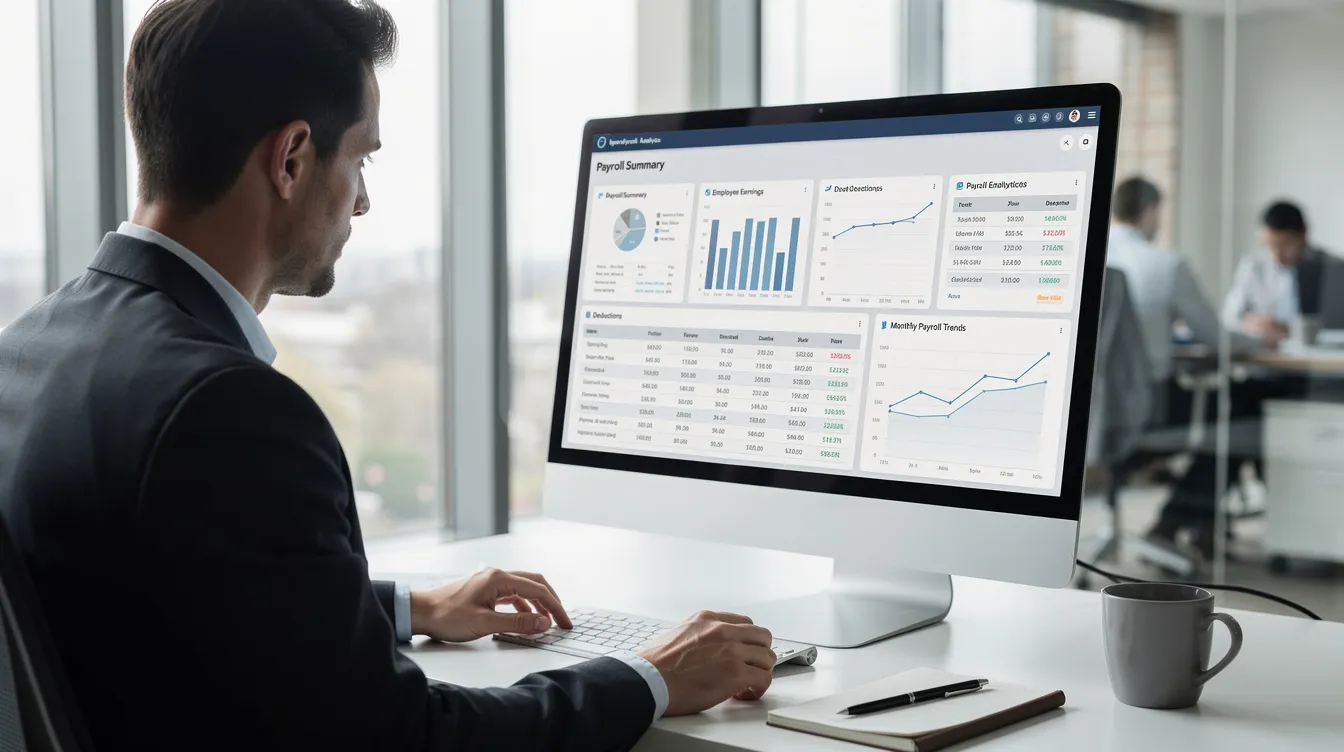
Beyond standard reports, look for customizable reports and visual dashboards. These help you spot trends—like overtime creeping up in a particular department—before they impact your bottom line.
According to industry data, 75% of teams using payroll analytics make better informed decisions about staffing and compensation.
Netchex’s reporting tools provide both out-of-the-box payroll reports and ad hoc analytics. Export to Excel or connect to BI tools for deeper analysis. Visit netchex.com/features to explore the analytics capabilities.
Advanced Payroll Software Features That Add Real Value
Once you’ve covered the basics, advanced capabilities help manage complexity and improve the employee experience.
These features matter most for mid-sized and growing companies dealing with multiple pay rates, complex compensation structures, and increasing compliance requirements.
Netchex is designed as a full HCM solution, so many of these advanced features come integrated rather than as expensive bolt-ons—delivering all-in-one payroll and HR software that centralizes key processes.
Compensation Management and Adjustments
Annual merit cycles, mid-year promotions, bonuses, and pay adjustments shouldn’t require manual updates across multiple systems.
Look for compensation tools that support:
- Annual merit increases (typically 3-5% effective January 1)
- Mid-year promotions with effective date tracking
- Manager proposal workflows with HR review
- Total compensation visibility including salary, bonuses, and allowances
When a manager proposes a raise, HR reviews for budget and equity considerations, then approved changes should automatically update future payroll runs.
Netchex offers compensation planning capabilities integrated with payroll. Approved changes flow directly to employee pay rates without manual intervention.
Expense Management and Reimbursements
Business expenses shouldn’t require separate check runs.
Modern payroll expenses management lets employees:
- Submit mileage claims (at the IRS $0.70/mile rate for 2026)
- Upload digital receipts for travel and office supplies
- Route requests through manager approval workflows
Approved reimbursements then flow into the next payroll run as non-taxable items (or taxable, according to company policy and IRS rules).
Example: Monthly travel reimbursements for sales reps get approved by the 20th and appear in the final payroll of each month.
Netchex streamlines reimbursements by treating them as part of the regular payroll process. No separate checks or manual ACH transfers required.
Wage Garnishment and Other Complex Deductions
Garnishments create legal risk if handled incorrectly.
Your payroll software needs automated handling of:
- Court-ordered garnishments
- Child support (with correct priority and 50-65% limits per CCPA)
- Tax levies
- Student loan garnishments
The system should automatically track balances and stop deductions when obligations are satisfied. Mismanaging garnishments can result in $1,000+ fines—not to mention legal complications.
Netchex calculates, withholds, and remits garnishments accurately as part of core payroll processing. Balances update automatically, and deductions stop at the correct time.
Audit Trails, Error Detection, and Pre-Processing Checks
Catching errors before payroll runs saves time and money.
Look for systems that flag potential issues:
- Zero-dollar checks that shouldn’t exist
- Unusually high overtime
- Terminated employees with active hours
- Duplicate pay entries for the same employee
Payroll auditing capabilities should include detailed logs showing who changed pay rates, added bonuses, or updated employee data—and when.
Example: Before submitting payroll, an admin sees a warning about duplicate entries for the same employee. They correct it before finalization, avoiding a costly correction process.
Netchex includes validation checks and comprehensive audit logs. Every change gets timestamped with user identification, supporting compliance requirements and simplifying audit responses—capabilities surfaced clearly in its OneScreen Payroll unified dashboard.
Integrated Benefits and HR Management
Disconnected systems create data discrepancies.
When payroll integrates with benefits administration, onboarding, and HR records, changes propagate automatically. A new hire starting April 1, 2026 should sync into payroll with correct:
- Pay rate
- Tax setup
- Benefit elections
- Health insurance deductions
- Retirement plans contributions
One employee record serves payroll, benefits, and HR history. No more reconciling discrepancies across multiple systems.
Netchex is a unified HCM platform, combining payroll with benefits administration, HR, and time tracking in one database. This integration eliminates the friction that causes so many payroll errors.
Scalability, Multi-State, and Multi-Location Support
Growing businesses need payroll solutions that scale without forcing platform changes.
Key scalability features include:
- Location-based pay rules for different branches
- State-specific tax settings for remote employees
- Department-level reporting and cost allocation
- Support for unlimited payrolls across pay groups
Practical scenarios this addresses:
- Opening a new branch in another state
- Adding remote employees across multiple jurisdictions
- Acquiring a small company with different pay cycles
- Supporting business growth without system migrations
Netchex is built to scale with organizations. Multi-location payroll operations work within the same platform you started with, avoiding the disruption of changing systems as headcount grows.

How Payroll Software Like Netchex Streamlines and Automates Payroll
Let’s walk through what a complete payroll cycle looks like with an integrated system.
- Collect hours: Employees clock in and out using time tracking tools. Managers review and approve timesheets for the pay period.
- Preview payroll: HR runs a preview that calculates gross wages, applies tax calculations, processes payroll deductions, and generates net pay amounts. The system flags anomalies—an employee with zero hours, overtime exceeding thresholds, or missing direct deposit information.
- Review and correct: Any flagged issues get resolved before finalization. No more discovering errors after checks are printed.
- Run payroll: With one click, payroll processes. Direct deposits queue for the pay date. Tax payments schedule automatically.
- File and remit: Quarterly and annual filings happen on schedule. Tax liabilities remit without manual intervention.
The time savings are real.
Companies moving from manual processes to integrated systems like Netchex cut payroll processing from two days to a few hours per pay period. Fewer voided checks. Fewer off-cycle payments. Less back-and-forth with employees over missing hours.
Consider this scenario:
A 200-employee manufacturing company struggled with manual payroll processes. Multiple spreadsheets. Disconnected time tracking. Frequent errors requiring off-cycle corrections.
After adopting Netchex, they reduced payroll errors by 65%. Compliance fines dropped to zero. HR staff reclaimed nearly a full day per pay period—time now spent on employee development rather than data entry.
That’s the difference between basic payroll and a modern payroll system.
How to Choose a Payroll Software Provider
With dozens of payroll providers in the market, how do you choose?
Start with your prioritized feature list from the sections above. Match requirements to your situation:
| Company Size | Priority Features |
|---|---|
| Under 50 employees | Automated processing, tax filing, direct deposit, self-service |
| 50-200 employees | Add time integration, GL mapping, robust reporting |
| 200+ employees | Advanced analytics, multi-location support, compensation management |
Beyond features, evaluate these practical criteria:
- Implementation timeline: Realistic range is 4-8 weeks for most companies
- Customer support hours: Can you reach someone when payroll breaks?
- Training resources: How will your team learn the system?
- Integration options: Does it connect with your existing HR, accounting, and time systems?
- Client references: Talk to businesses similar to yours
During demos, request specific workflows:
- Off-cycle payroll processing
- Multi-state tax handling
- Year-end W-2 processing for the 2025 tax year
Compare vendors on substance, not just sales pitches. The right payroll software should simplify your business processes, reduce risk, and save time, with transparent payroll software solution pricing that scales with your needs.
Netchex checks the critical feature boxes while offering strong customer service and guided implementation. Request a demo or get started with Netchex payroll and HR to see the platform in action.
Why Choose Netchex Payroll Software
Netchex stands out as a payroll provider for several key reasons.
- Full-service payroll with automated tax filing: From pay calculations to tax remittances, Netchex handles the complete payroll process. You don’t file returns yourself—the platform does it on your behalf.
- Single database for HR, time, and payroll: No more syncing data between disconnected systems. Employee data lives in one place, updating everywhere automatically. This architecture eliminates the duplicate data entry that causes so many errors.
- Easy to use software with strong reporting: Standard payroll reports come ready out of the box. Customizable reports let you dig deeper. The platform helps you streamline processes without requiring extensive training.
- U.S.-based support: When you have questions, you reach people who understand U.S. payroll complexity. Support teams help ensure compliance with federal, state, and local requirements.
- Automatic compliance updates: Tax tables update automatically. Labor laws changes reflect in the system. You don’t need to track every regulatory bulletin—Netchex handles simplified compliance for you.
For small business owners managing payroll alongside everything else, Netchex provides the features to pay employees correctly while maintaining accurate records for audits and compliance.
Ready to see these payroll features in action?
Visit netchex.com/payroll for detailed feature descriptions. Or schedule a demo tailored to your organization’s business needs.

FAQs: Payroll Software Features
What size business needs payroll software features like those described here?
Even small business owners with 10-15 employees benefit from automated payroll features—especially tax filing and direct deposit. Manual processes at any size create compliance risks and consume time better spent elsewhere.
As organizations grow past 50-100 employees, features like time integration, GL mapping, and advanced reporting shift from nice-to-have to essential. The complexity of managing multiple pay rates, hire reporting for new hires, and multi-state social security obligations demands robust tools.
Netchex serves a wide range of employer sizes, from small regional companies to multi-location organizations with hundreds of employees.
How long does it typically take to implement a new payroll system?
Most small to mid-sized companies complete implementation in 4-8 weeks, depending on data complexity, number of locations, and integrations required.
The process typically includes:
- Data migration from existing systems
- Configuration of pay rules and GL mapping
- Parallel test runs alongside current payroll
- Go-live after a successful test cycle
Netchex provides guided implementation to reduce risk and ensure compliance requirements are met before your first live payroll run. Their team helps ensure accurate records transfer cleanly to the new platform.
Can payroll software integrate with my existing HR, accounting, or time systems?
Most modern payroll platforms offer APIs and pre-built connectors for common systems—accounting tools like QuickBooks, HRIS platforms, and time clocks.
Deep integration reduces manual data entry and helps maintain a single source of truth for payroll information. When systems talk to each other, you avoid the reconciliation headaches that come with disconnected tools.
Netchex offers native time and HR capabilities plus integration options to connect with other business systems. The platform’s unified approach means core functions work together without complex middleware.
How does payroll software help with audits and record-keeping?
Payroll software maintains detailed history of pay runs, tax filings, and employee changes—typically for seven years or more, which is crucial for IRS or state audits.
Audit trails show who made changes to employee pay, when changes occurred, and what values were modified. Reporting tools allow quick retrieval of accurate records for specific dates, employees, or pay periods.
Netchex provides downloadable reports and secure, long-term access to historical payroll data. When auditors request documentation, you can pull what they need without digging through filing cabinets or old spreadsheets.
What should I budget for payroll software, and how does pricing typically work?
Pricing typically combines a base monthly fee plus a per-employee, per-month cost. Additional fees may apply for optional modules like advanced analytics or benefits administration.
To estimate ROI, compare software costs against:
- Current time spent on manual payroll processing
- Cost of error correction and off-cycle payments
- Penalty risk from compliance issues
- Expense of print checks and manual tax payments
For small business operations, the time savings alone often justify the investment—before accounting for reduced errors and compliance protection.
Contact Netchex directly for a customized quote based on your employee count, locations, and required modules rather than relying on generic price ranges.
Related articles

Popular Payroll Software in 2026: Why Netchex Stands Out
Payroll Processing Software: A Complete Guide for Small and Mid-Sized Businesses

Hotel Staffing: The Complete Guide to Building and Managing Your Hospitality Team